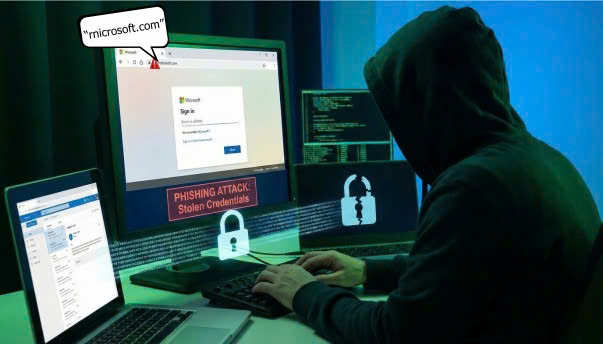
A new phishing campaign is using character-swapping techniques to target Microsoft users—both individuals and businesses—with the goal of stealing their accounts.
Cybercriminals impersonate Microsoft and send emails (with identical layout and branding) instructing users to click the attached link and enter their account information. The key trick lies in the link address: the attackers replace the letter “m” with the letters “r” and “n” to create the fake domain “rnicrosoft[.]com.” When displayed in browsers, emails, or mobile devices, “rn” appears almost identical to “m,” causing most users to mistake the fake website for the legitimate Microsoft domain.
With modern fonts and browser rendering, the difference between “microsoft.com” and “rnicrosoft.com” is nearly invisible. Because users often skim emails or view them on small screens, they fail to spot the discrepancy—making this domain-spoofing technique highly effective. Once users enter their credentials, they hand over their accounts to the attackers.
Beyond the “rn” trick, cybercriminals also replace the letter “o” with “0” (e.g., “micros0ft.com”), add hyphens (“microsoft-support.com”), or change the domain extension (“microsoft.co” instead of .com) to increase the chances of deception.
Anyone using Microsoft services—Email, OneDrive, Teams, Office 365, etc.—can be at risk. With access to a compromised account, attackers can read all emails, view stored documents, contacts, billing information, and even deploy malware to the victim’s machine.
To avoid falling victim to fake-domain phishing campaigns, Bkav cybersecurity experts advise users to:
-
Carefully check the sender’s address and verify the domain before opening any email or logging in.
-
On computers, hover over links to preview the real URL; on mobile devices, press and hold links to display the full address.
-
For emails requesting password changes or account verification, open a new browser window and manually enter the official Microsoft website instead of clicking links in the email.
-
NEVER click a password-reset link sent in an email, as Microsoft does not send emails containing clickable password-reset requests.
-
Enable additional security features such as multi-factor authentication (MFA).
-
Install email-filtering systems and use licensed antivirus solutions for professional-grade protection. Default OS security tools provide only basic protection and are insufficient against modern malware, which can hide, persist long-term, and infiltrate systems deeply.
Bkav